

Picture this: a new hire unboxes a factory-sealed laptop at home, signs in, and 15 minutes later is fully productive—without IT ever touching the machine. That’s the promise of zero-touch asset management, and it matters now. In 2026 roughly one-quarter of employees worked fully remote while another 52 percent split their week between home and office (see these remote work statistics). When people and hardware scatter, the old “handle it in the office” playbook collapses, and according to Capterra, 71 percent of HR professionals say at least one departing employee failed to return company devices on time—a direct hit to security, budgets, and onboarding.
This guide breaks down eight platforms that ship, configure, track, and even retrieve hardware automatically, so your team stays focused on strategy rather than shipping labels.
Let’s get started.
How we narrowed the field
You don’t need another endless list of “top tools.” You deserve to know why these eight made the cut, and why others didn’t.
We began with a single requirement: every contender must provide zero-touch deployment in practice, not just in marketing slides. In other words, the platform either integrates with manufacturer programs such as Windows Autopilot and Apple Business Manager, or it manages the physical drop-ship logistics on your behalf.
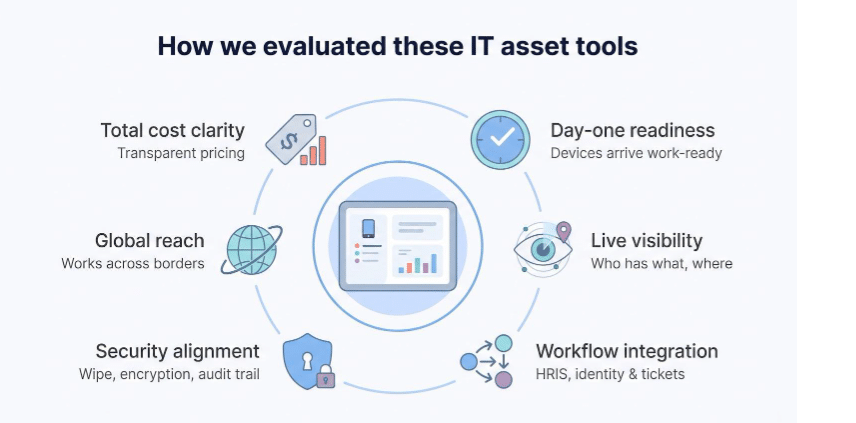
From there, we weighed six criteria:
Day-one readiness. How reliably can the tool ship or configure a device so a new hire starts work immediately?
Live visibility. Does the dashboard show who has what, where it is, and whether it’s compliant, without manual spreadsheet edits?
Workflow integration. The best tools plug into HRIS, identity, and ticketing systems, so onboarding and offboarding run themselves.
Security alignment. Remote wipe, encryption enforcement, and audit trails are table stakes. Bonus points for zero-trust posture data.
Global reach. Hybrid teams span time zones and customs zones, so we favored platforms that work across borders, not just zip codes.
Total cost clarity. Sticker shock helps no one, so we verified at least one transparent price point, such as Microsoft Intune’s eight-dollar-per-user monthly tag that’s already bundled in many Microsoft 365 plans, according to PeopleOpsHQ.
Tools that cleared those tests moved forward. Solutions focused only on software license counting, or those restricted to a single region, did not. The result is a shortlist that covers every major use-case without padding the roster.
Eight solutions at a glance
Before we dig into detailed profiles, a brief snapshot shows the field.
The grid below does not crown a single winner; it positions each platform by the problem it handles best. Scan across and you will see which options merit closer review and which you can skip.
| Solution | Best for | Zero-touch highlight | Watch out for | Starting price* |
| Allwhere | Outsourcing global hardware logistics | Ships, retrieves, and warehouses gear in 48 countries | Premium service fees | Quote per device |
| Workwize | EU-centric distributed teams | Self-service ordering plus courier pickup on exit | Hardware mark-ups reported by some users | Quote per device |
| Microsoft Intune | Microsoft 365 shops | Autopilot enrolls Windows PCs right out of the box | Learning curve on first setup | $8 user/mo |
| Jamf Pro | Apple-first fleets | DEP auto-enrolls Mac and iOS in minutes | Apple-only focus | ≈ $4 device/mo |
| Omnissa Workspace ONE | Large mixed-OS enterprises | One console manages Windows, macOS, mobile, and rugged devices | Cost and complexity | ≈ $6-9 device/mo |
| Hexnode UEM | Budget-minded SMBs | Cross-platform zero-touch under $3 a month | Fewer deep-dive policies | From $1-2 device/mo |
| ManageEngine Endpoint Central | Mid-market “all-in-one” buyers | Bundles imaging, patching, and asset tracking | UI feels busy | From $16 device/yr (on-prem) |
| ServiceNow ITAM | Enterprises with mature ITSM | CMDB links assets to tickets and compliance | High implementation cost | Enterprise quote |
Public entry-tier pricing where available. Always confirm a live quote.
Use this snapshot as a compass rather than a finish line. In the next segments we will tour each platform in context so you can judge real fit, not just headline stats.
1. Allwhere: best for end-to-end device lifecycle management
Allwhere exists for the moment when IT says, “We just want the laptop to arrive, work, and come back when the employee leaves.”
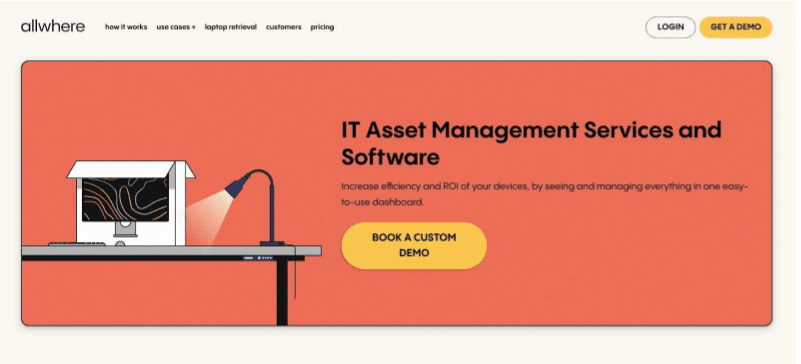
The service pairs a global logistics network with a cloud dashboard. Order hardware in the platform, tag it to a new hire, and pick a start date. Allwhere then handles procurement, customs paperwork, and tracked shipping to 48 countries. When the box reaches a doorstep, the device auto-enrolls in your chosen MDM (Jamf, Intune, or another), so the employee’s first login does the heavy lifting. Day-one productivity, no depot required.
The same workflow reverses on exit. HR marks a departure, Allwhere sends a prepaid return kit, and the dashboard tracks each milestone until the laptop reaches a warehouse and is wiped to NIST 800-88 standards. Allwhere’s IT Asset Management Services and Software reports a 91 percent on-time retrieval success rate—about 80 percent better than the industry norm—so companies that once wrote off pallets of missing gear now close a costly security gap.
Visibility carries through every step. The inventory view shows each asset’s status (on order, in transit, active, or in storage) alongside location and assigned employee. Warranty clocks and refresh targets surface automatically, giving procurement time to budget before surprises hit.
Allwhere is a service, not software you host. That convenience costs extra: you pay a per-device or per-user subscription plus hardware. You also still need an MDM to enforce on-device policies; Allwhere focuses on the physical lifecycle rather than pushing patches.
Choose Allwhere when your workforce spans borders and your team refuses to moonlight as a shipping department. It turns laptops into a managed supply chain, not a lingering question on the offboarding checklist.
2. Microsoft Intune: best for Microsoft-centric endpoint management
If your company already lives inside Microsoft 365, Intune is the quickest path to zero-touch deployment. Windows Autopilot links the hardware vendor, Azure AD, and Intune so a new laptop boots, calls home, and pulls down every policy the moment an employee signs in. No imaging station, no USB keys, no late-night VPN sessions for IT.
Because Intune sits in the same cloud stack as Azure AD and Microsoft Defender, you gain conditional access without extra wiring. A device that drifts out of compliance (for example, BitLocker is off or a critical patch is missing) can lose access to corporate data until it fixes itself. This alignment with zero-trust principles removes guesswork from remote security.
Cross-platform support is stronger than many expect. Macs, iPhones, and Android devices all enroll through the same portal, though power users will notice deeper controls for Windows than for macOS. Still, a single policy engine for every major OS beats juggling separate tools when budgets or headcount are tight.
Intune’s main hurdle is setup. Autopilot needs hardware registration, group tags, and profile assignments that feel arcane on day one. Missteps lead to the dreaded “something went wrong” screen and a manual rebuild. The good news is that once the template is dialed in, rollouts stay on track.
Cost is straightforward. Most Microsoft 365 E3 and E5 plans already include the Intune license; standalone seats run about eight dollars per user each month and allow that user to enroll multiple devices. Bundled pricing often makes Intune effectively free for organizations already in the Microsoft ecosystem.
Choose Intune when Windows is your dominant platform, Azure AD is your identity source, and you want zero-touch deployment without adding another vendor. With a bit of upfront effort, it delivers a first-boot experience that feels almost magical to end users.
3. Jamf Pro: best for Apple-only fleets
If your office glows with MacBooks and iPhones, Jamf Pro is the management hub built for you. Apple’s Device Enrollment Program (now part of Apple Business Manager) hands off new hardware to Jamf the moment it powers on. Employees breeze through a few setup screens, and within minutes their Mac or iPad is encrypted, patched, and stocked with company apps, no IT handholding required.
Jamf’s strength shows in the details. Need to escrow FileVault keys automatically? Jamf does it. Want a Self Service portal where users install vetted software without tickets? It is built in. Admins can push custom scripts, enforce kernel extension policies, and automate macOS updates on Apple silicon. These controls save hours that would otherwise disappear into one-off Slack requests.
Security rides shotgun. Lost Mode locks a misplaced iPhone, while compliance dashboards flag devices that drift from baseline. Pair Jamf with identity providers such as Okta and you gain conditional access on top, so only healthy Macs reach corporate data.
There are trade-offs. Jamf covers Apple gear only, so Windows or Android devices need another tool. And with pricing near four dollars per device, tiny teams may hesitate if they manage just a few Macs. At scale, though, Jamf’s focus pays off in fewer support tickets and more self-reliant users.
Choose Jamf Pro when design, engineering, or the entire company lives in Apple’s ecosystem. It turns Mac management into a smooth, automated experience your users barely notice, just as Apple intended.
4. Omnissa Workspace ONE: best for large, mixed-device enterprises
Workspace ONE acts like a multi-tool for endpoint management. Windows laptops, Macs, Linux workstations, iPads, and Android scanners on a warehouse floor all funnel into one console. For firms juggling thousands of devices across business units, that single pane eases the cognitive load.
Zero-touch enrollment is central. Autopilot handles Windows, Apple Business Manager covers Macs and iPhones, and Android Enterprise zero-touch rounds out mobile. The moment hardware powers on, Workspace ONE pushes profiles, apps, and compliance rules without IT opening the lid.
Depth is the differentiator. Need to geofence frontline tablets so they lock outside a job site? Done. Want analytics that flag devices about to fail or drift out of patch compliance? The Intelligence module reviews telemetry and triggers automated fixes or tickets. Security teams value the tie-ins with Carbon Black, which provide real-time threat visibility down to the device.
All that capability comes with a learning curve. The admin interface still shows its AirWatch roots, with option panels nested like Russian dolls. Most enterprises rely on an Omnissa partner for rollout and tuning. Budget-wise, expect upper-mid to premium pricing, worthwhile if you use the full feature set and excessive if you only need basic MDM.
Choose Workspace ONE when complexity is normal: multiple operating systems, rugged frontline gear, strict compliance, and a mandate to automate at scale. It turns sprawling fleets into an orchestrated, self-healing system.
5. Hexnode UEM: best value for budget-conscious teams
Hexnode shows you do not need enterprise pricing to reach genuine zero-touch control. Starting near one dollar per device, its cloud console covers Windows, macOS, iOS, Android, and Linux. That range lets small IT crews handle mixed fleets without juggling multiple tools.
Enrollment is refreshingly direct. Upload Apple or Google tokens, add Autopilot hardware IDs, and new devices appear in Hexnode as soon as they join Wi-Fi. From there you push Wi-Fi credentials, install apps, and enforce passcode rules in a few clicks. The interface favors plain-language presets over complex policy trees, so you spend minutes, not hours, building baselines.
Reporting sticks to essentials: hardware specs, installed software, compliance status, and location where supported. You will not see AI-driven insights or sprawling dashboards, but you will spot out-of-date OS versions and missing encryption at a glance. For many lean teams, that insight is enough.
Hexnode’s trade-offs match its price. Advanced Mac scripting, granular Windows registry tweaks, or deep API integrations require heavier platforms. Integration options exist (webhooks, REST APIs), but you may write a bit of glue code if you want tight HRIS or ticketing sync. And while support responds quickly, you will not get the dedicated technical account manager larger vendors bundle.
Choose Hexnode when you need cross-platform zero-touch on a startup or mid-market budget. It covers the fundamentals, keeps the UI clear, and spares your CFO a surprise bill.
6. ManageEngine Endpoint Central: best all-in-one for the mid-market
Endpoint Central is a versatile upgrade for teams whose toolkit still looks like “SCCM plus spreadsheets.” It combines device imaging, patching, remote control, and asset tracking in one web console, with no extra modules to chase down.
Zero-touch starts with Windows Autopilot or Apple’s enrollment programs. Feed your hardware IDs into Endpoint Central and the server assigns the right profile, installs required software, and logs the asset in its inventory. For shops still tied to on-prem networks, you can deploy classic PXE or USB images, though most admins find cloud enrollments quicker and cleaner.
Breadth is the standout. You can push monthly Windows patches, track warranty dates, remote-control a user’s desktop, and see Office license counts without flipping tabs. Built-in reports flag devices due for refresh, OS versions nearing end of support, and software that is eating unused seats.
The compromise is interface polish. Years of add-ons created nested menus, so new admins may click through too many screens. Pricing, however, is friendly: about sixteen dollars per endpoint per year on-prem or a few dollars per month in the cloud, while high-end analytics and AI prediction live elsewhere.
Choose Endpoint Central when you manage 200 to 5,000 devices, need everything under one roof, and prefer not to link half a dozen point solutions. It delivers broad coverage at a price that fits mid-market budgets.
7. Workwize: best for outsourcing hardware ops in Europe and beyond
Workwize feels like an online store for your IT gear, only the cart triggers global logistics instead of dropping boxes at your warehouse door.
Admins curate a catalog of approved laptops, monitors, and peripherals. New hires select what they need in a self-service portal, budgets route for approval, and Workwize handles procurement, configuration, and tracked shipping to more than one hundred countries. No purchase-order gymnastics, no tracking links buried in email threads.
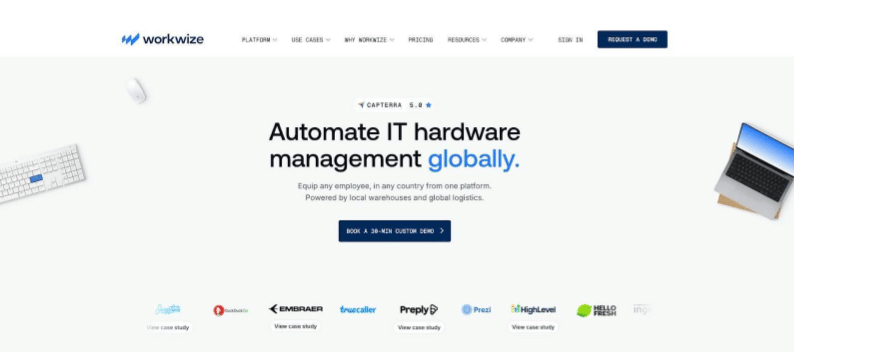
Offboarding reverses the flow. HR marks a departure, Workwize schedules a courier, and a prepaid box appears at the employee’s door. Devices scan back into inventory, receive a certified wipe, and then move to storage or secondary resale. Reddit users report retrieval rates climbing from about 50 percent to the mid-90s after switching, which keeps both finance and security teams happy.
Integration is light but useful. Sync with BambooHR or Personio and asset workflows trigger automatically. Pair with Intune or Jamf and devices enroll as soon as they connect. The combination gives IT visibility without forcing the team to become shipping clerks.
Pricing sits behind a quote, and some buyers note a hardware markup for the convenience. For EU-based firms, that premium often beats the headcount and VAT headaches of doing it alone. US companies should still compare total landed cost against rivals such as Allwhere or GroWrk.
Choose Workwize when your distributed workforce leans European, you want a consumer-grade ordering experience, and you would rather outsource customs paperwork than learn it.
8. ServiceNow IT Asset Management: best for audit-ready enterprises
ServiceNow’s Hardware Asset Management module acts more like a control tower than a point solution. It anchors asset data inside the same platform many enterprises already use for incidents, changes, and requests, so every laptop, server, or router inherits a living history: purchase order, owner, support tickets, and compliance status all travel together.
Zero-touch here is orchestrated rather than executed. A new-hire record in Workday can trigger a ServiceNow workflow that orders a laptop, registers it with Intune, and emails the tracking number to the employee. When that person leaves, the same engine launches a retrieval task, locks the device through MDM, and captures the entire chain of custody in the CMDB.
Governance is ServiceNow’s calling card. Auditors appreciate the immutable log of who had what, when, and why. Finance teams consult real-time depreciation schedules, and security teams pull lists of devices missing a critical patch and see exactly which business service they support.
The trade-off is weight. Standing up ServiceNow ITAM requires project timelines, executive sponsorship, and often a certified partner. Licensing costs can reach six or seven figures at Fortune-500 scale, and even small tweaks need admin expertise. For many SMBs, that overhead outweighs the upside.
Adopt ServiceNow when you already rely on the platform for ITSM or SecOps and need assets woven into every approval, change, and audit trail. It turns a helpful tool into a mission-critical backbone.
Conclusion
There’s no single “best” tool here, only the best fit for your biggest gap. Microsoft 365 shops lean on Intune, Apple fleets on Jamf, mixed enterprises on Workspace ONE, and audit-heavy teams on ServiceNow. Tight budgets stretch furthest with Hexnode or Endpoint Central.
But if the real pain is physical, getting devices to people across borders and back again, logistics-first platforms like Allwhere and Workwize solve what software can’t. Name your biggest gap, match it to the table above, and trial two options. In a world where a quarter of your team never enters an office, the right pick is the one that makes a laptop just show up, work, and come home.