It’s hard to imagine a commercial project going live without visuals—and for good reason. Content that includes images tends to perform better than text-only formats. Visuals grab attention, reinforce your message, and make it more memorable.
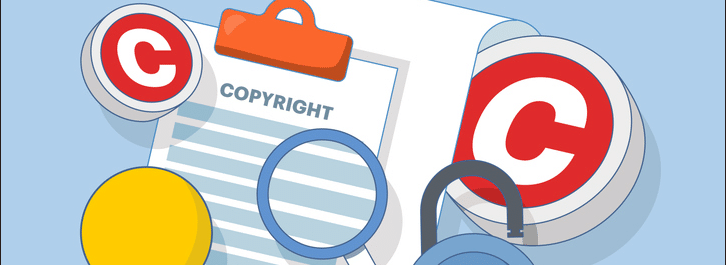
But here’s the catch: using the wrong images can lead to copyright claims, takedown notices, and legal fees. That’s why you need to learn how to check if an image is copyrighted before incorporating it into your commercial project.
This guide will show you where to find and how to legally use copyright-free images for commercial purposes. You’ll also learn what “copyright-free” and “commercial use” actually mean.

What are so-called “copyright-free” or “no copyright” images?
“Copyright-free” technically means an image has no copyright protection. However, this term can be misleading, as truly copyright-free images are relatively rare. Most visuals people refer to as “copyright-free” are actually:
- Public Domain images: Copyright was never applied, has expired, or the creator has released the image into the public domain.
- Royalty-free images: The creator allows people to use the visual without paying royalties each time, though certain restrictions may apply.
- Creative Commons-licensed images: These are free to use under specific conditions, such as attribution, non-commercial use only, or restrictions on modification.
Remember: just because an image is free to download doesn’t mean it’s copyright-free. In most cases, it still has copyright protection and can only be used under certain terms.
How to check if an image is copyrighted
Most images you find online are copyrighted. Unless there’s a clear indication otherwise, you should treat any visual as protected. Here’s how to check an image’s copyright status:
- Look for licensing information on the page where you found the asset.
- Check whether the visual appears on stock photo sites like DepositPhotos.com using reverse image search. If it does, it’s copyrighted and requires a license.
- Use reverse image search on Google or other search engines to find the original source and review its licensing terms.
- Check for public domain indicators, such as images from government websites, very old visuals, or CC0 licenses.
- Review image metadata or description to identify copyright information, the creator’s name, or usage terms.
If in doubt, assume the image is copyrighted and don’t use it. It’s always better to find an alternative than risk legal action for copyright infringement.
What counts as commercial use?
Commercial use means employing an image in any context tied to a business or profit motive. This typically includes:
- Using images in ads, billboards, or marketing campaigns
- Adding visuals to a website that sells products or services
- Featuring images in sponsored posts on social media
- Using images on product packaging or merchandise for sale
- Creating prints or digital templates for sale
- Incorporating images into books or courses you sell
- Adding visuals to monetized YouTube videos
- Including images in blog posts with ads or affiliate links
- Using images in company presentations, reports, or other corporate materials
Non-commercial use generally covers personal projects, educational purposes, or news reporting—as long as there’s no connection to a business, brand, or profit-making activity. Even then, you must still follow the image’s specific license terms.
How to legally use copyright-free images for commercial purposes
Using photos from the Internet for business purposes can be risky, but it’s safe when you know where to find copyright-free images and how to handle them correctly.

1. Understand the image license
There are three main types of image licenses to be aware of: Public Domain, royalty-free, and Creative Commons licenses. Copyright laws for images differ depending on their license type.
Public Domain pictures have no copyright restrictions and can be used freely. Royalty-free images can be reused without additional fees, though they may include usage limitations. Creative Commons licenses vary—some require attribution, while others prohibit commercial use or modifications.
2. Choose trusted image sources
To reduce legal risks, download images from reputable stock photo websites such as DepositPhotos or Alamy. These platforms offer royalty-free licenses with clear terms for both personal and commercial use, along with a wide selection of high-quality visuals.
Official public domain archives are also reliable sources for copyright-free images. You can use pictures from the Library of Congress or Wikimedia Commons, but always review the license details, as some images may still carry restrictions.
3. Verify commercial usage rights
Before downloading or applying any image, confirm that it includes commercial usage rights—even when sourced from a reputable platform. Ensure the license gives you permission to use photos on your website, in advertising, or for other commercial projects.
For royalty-free images, note the difference between standard and extended licenses. Standard licenses typically allow commercial applications with limitations, while extended licenses offer broader rights for large-scale projects.
4. Check for attribution requirements
Some licenses require crediting the creator or source. If attribution is necessary, follow the exact format specified in the license. This usually includes the author’s name, the platform name, and sometimes a link to the original image.
For example, Unsplash requests attribution such as “Photo by Roberto Shumski on Unsplash”, without a link. Pexels typically asks for “Photo by Sarthak Banga” along with a link to the image page.

5. Watch out for trademarks and logos
If an image includes recognizable logos or trademarks, you generally cannot use it for commercial purposes—even if the photo itself is copyright-free. Trademarks are protected separately from copyright and may result in legal issues.
To minimize risk, choose images without visible branding or remove logos with photo editing software. Alternatively, you can generate commercially safe visuals using licensed AI tools like the DepositPhotos AI Image Generator, which excludes brand logos and copyrighted objects.
6. Avoid editorial-only images
Many stock platforms label certain images “Editorial Use Only.” These visuals are intended for news reporting, educational content, or commentary—not commercial projects.
Even if an editorial image is free, you can’t apply it to promote products or services. Such content often lacks model or property releases, which can create legal issues when used commercially.
Don’t assume Google Images are free to use
Using images from the Internet is risky because most visuals are protected by copyright. You should treat all pictures found through search engines or social media as copyrighted unless clearly stated otherwise. Just because a file appears in search results doesn’t mean you have permission to apply it.
Wrapping up
Using images safely comes down to three steps: check if an image is copyrighted, verify commercial usage rights, and follow all license terms. Stick to reputable sources, and when you’re unsure, choose a different asset to avoid unnecessary legal risks.