AI video creation software is no longer experimental. Video professionals now use AI to generate and edit usable footage without full crews, and that’s not the only thing they can do.
They can also generate coherent scripts from scratch and even convert text into videos in an instant. This level of speed has completely changed client expectations and raised the bar for delivery.
Today, we explore the impact AI video creation software has had on content creation and workflows. This will also include a quick breakdown of the top AI tools you can use.
Alongside browser-based generators and text-to-video platforms, a growing part of the ecosystem is focused on production automation rather than creation alone. Tools such as Nexrender support this shift by enabling teams to render video content programmatically using Adobe After Effects templates, making it easier to scale repetitive or data-driven video production workflows.
Impact of AI Video Creation Software on Creative Workflows
There are still some misconceptions and myths about AI video generators. However, their impact on video content creation cannot be brushed off.
Before we look at the top AI video creation software solutions, here’s how AI is transforming video production.
- Automation of Repetitive Tasks: AI video creation software eliminates most of the manual work. You spend less time on repetitive tasks like video importation and more time shaping the story and pacing.
- Cost Efficiency: AI lowers labor costs by shrinking revision cycles and reshoot needs. You don’t need to hire a large camera crew.
- Faster Production Times and Scalability: Projects move from concept to delivery in days instead of weeks. You can scale output for multiple clients without burning out staff.
- Room for Experimentation: You can test visual styles, edits, and scene options before committing resources. Such quick previews support better decisions during pitching and approvals.
- Offers Data-Driven Insights: You get real-time performance feedback that shows what visuals hold attention and where viewers drop off. This allows you to refine edits based on real viewing behavior.
- Streamlined Multi-Platform Delivery: AI video creation software can automatically reformat content so you can repurpose assets for social media. This makes it easy to push your video to different audiences simultaneously.
Top AI Video Creation Software
Here are the top AI video creation software you can use.
1. LTX Studio
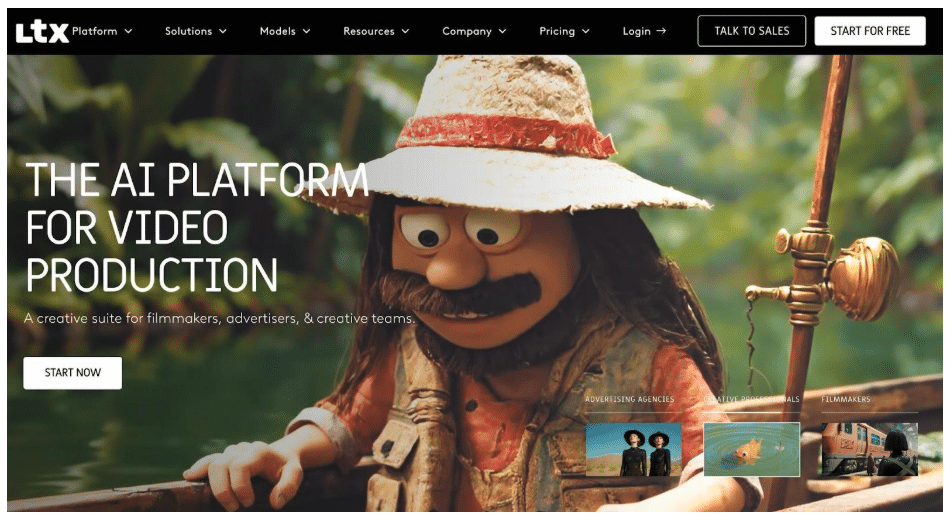
Image via LTX Studio
LTX Studio tops our list of the best AI video creation software solutions. It’s built for real production needs, and it can turn scripts, text prompts, or images into complete video sequences.
You can control framing, pacing, and visual style while refining edits inside the same workspace. This speeds up previsualizations, pitch videos, and early cuts without full crews.
Beyond video output, LTX Studio supports storyboards, character consistency, and shared assets. Your production teams can plan, test ideas, and create engaging presentations to present concepts faster while keeping creative control firmly in hand.
Key Capabilities
- Rapid concept visualization
- Frame designing
- Pre-production optimization with generative fill
- Creation of professional pitch decks
- Dynamic character updates
Pricing
LTX Studio comes with five pricing options:
- Free: $0
- Lite: $15 per month
- Standard: $35 per month
- Pro: $125 per month
- Enterprise: Custom
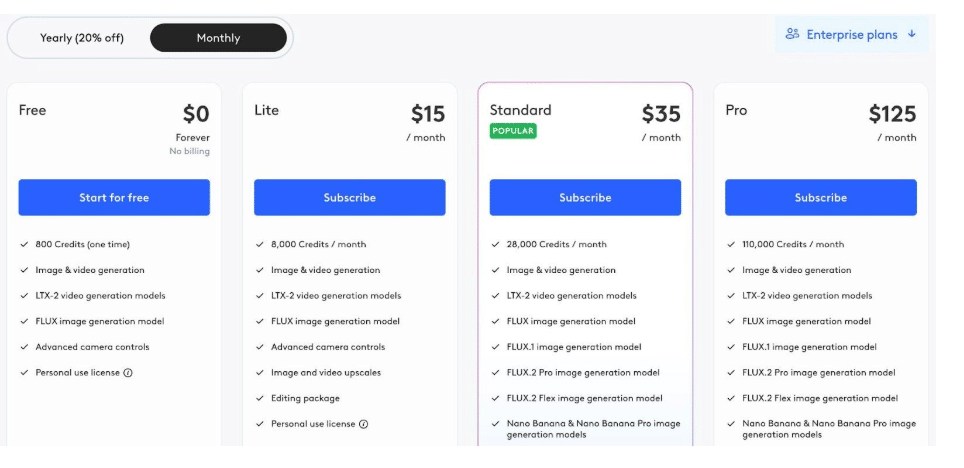
Image via LTX Studio
2. Krea
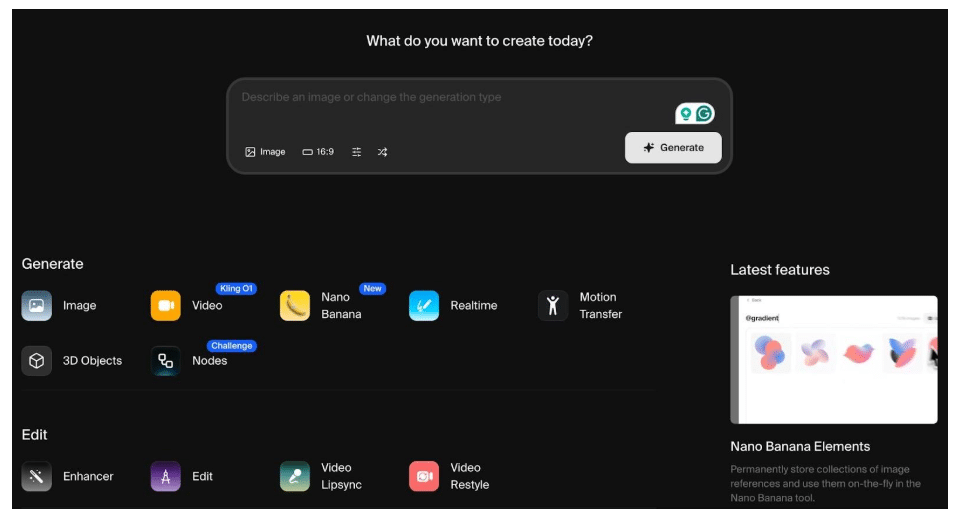
Image via Krea
Krea works like a hands-on AI video creation software for shaping visuals in real time. You can generate a video from text or images while adjusting motion, framing, and style as frames render.
This live feedback makes it ideal for concept clips, visual tests, and pitch footage before cameras roll. That puts you in control instead of waiting for static outputs.
Furthermore, Krea supports image generation and style references in the same workspace. This speeds up the process of moving from concept ideas to the screen.
Key Capabilities
- Real-time rendering
- LoRA tech for fine-tuning images and videos
- Lossless image and video upscaling
- Parallel video generation to save time
Pricing
Krea has two sets of price plans.
- For Individuals
- Individuals Basic: $9 per month
- Individuals Pro: $35 per month
- Individual Max: $105 peer month
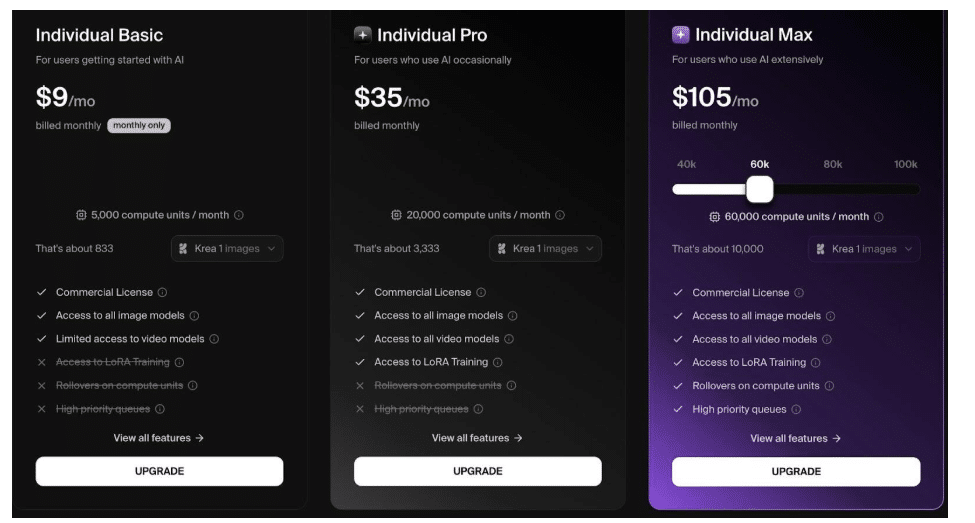
Image via Krea
- For Teams and Enterprises
- Business: $200 per month
- Enterprise: Custom pricing
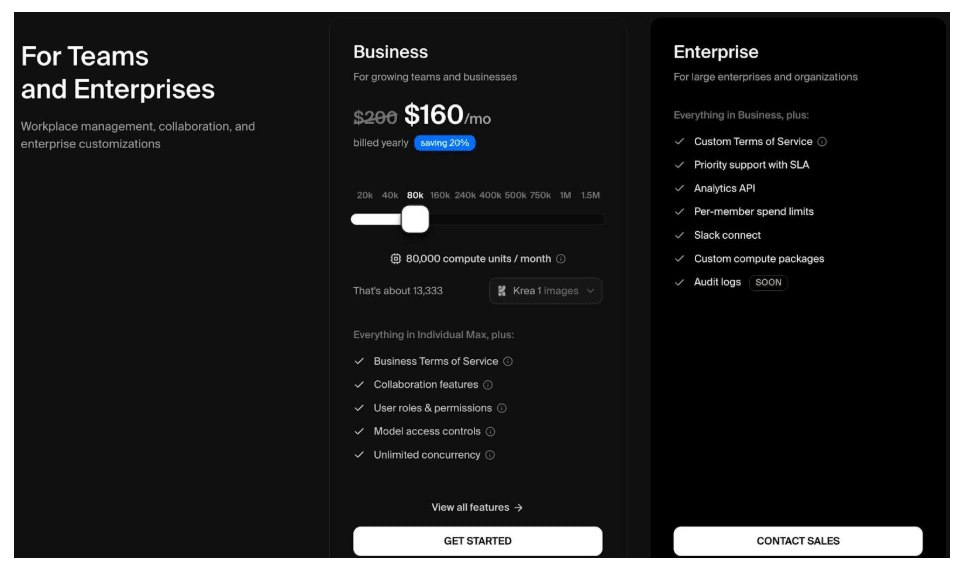
Image via Krea
3. Higgsfield
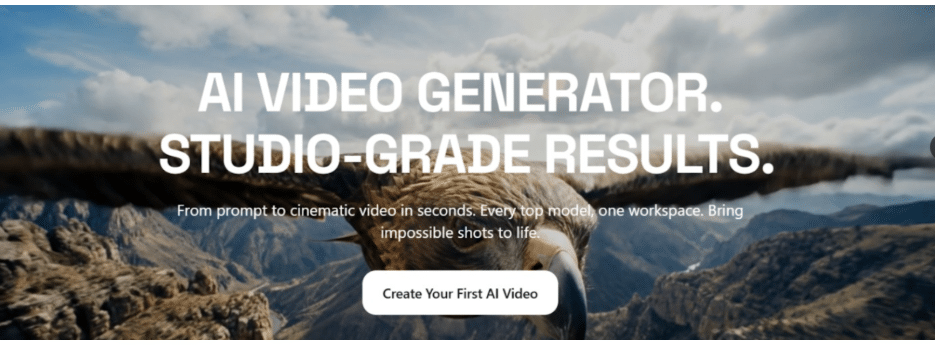
Higgsfield is a revolutionary AI Video Generator for creatives and marketers looking for quick, top-notch video creation. The platform allows you to create videos from text prompts or scripts in minutes, making it ideal for promotional and educational purposes.
The easy-to-use platform streamlines the creation, testing, and optimization process of video content without the need for manual recording or editing.
Key Capabilities
- AI-powered text-to-video generation
- Fast content creation for marketing and social media
- Easy customization of visuals and messaging
- Scalable video production without technical expertise
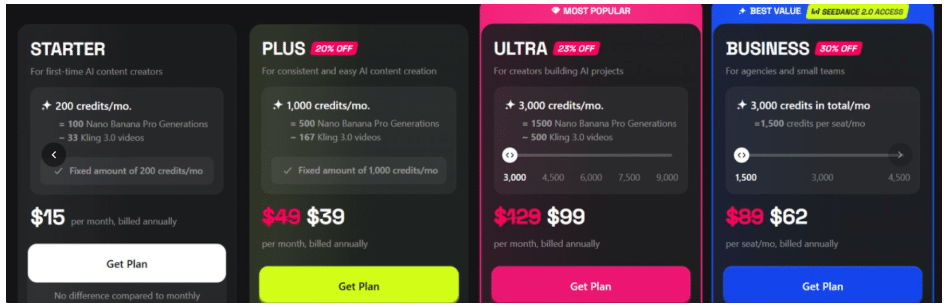
Pricing
- Free – $0/month (10 credits/day, limited models)
- Starter – $15/month (200 credits/month, billed annually)
- Plus – $39/month (1,200 credits/month, billed annually)
- Ultra – $99/month (3,000 credits/month, billed annually)
Business – $62/month (3,000 credits/month, billed annually)
4. Air Canvas
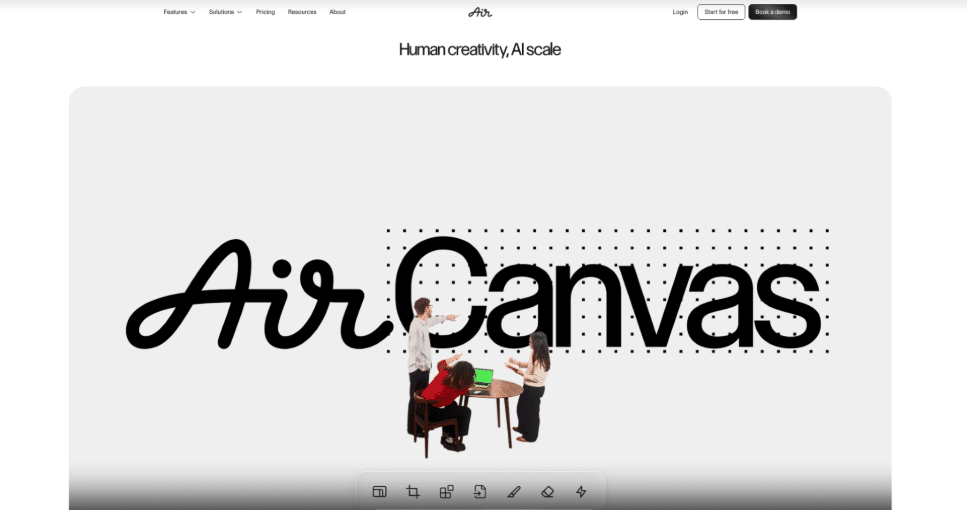
Air Canvas is an AI-powered creative scaling platform that helps marketing and creative teams adapt approved assets into video content and channel-ready formats without switching tools. It brings editing directly into the asset library where files already live, removing the need to download, edit, and reupload.
Teams can convert approved still assets into short video clips or GIFs using a simple prompt, reformat content for any platform instantly, and apply edits across multiple assets using natural language commands. Every output stays connected to the original approval status and brand kit stored in the library.
Key Capabilities
- Image-to-video generation from approved assets using a simple prompt
- Smart Resize for instant reformatting across channel-specific sizes
- Background removal and object cleanup without leaving the asset library
- Edit photos and video using AI via natural language across multiple assets at once
- Brand kit integration to keep every output on-brand automatically
Pricing
Air Canvas offers flexible pricing options.
- Free: $0
- Starter: $25 per month
- Business: $900 per month
5. Magic Hour
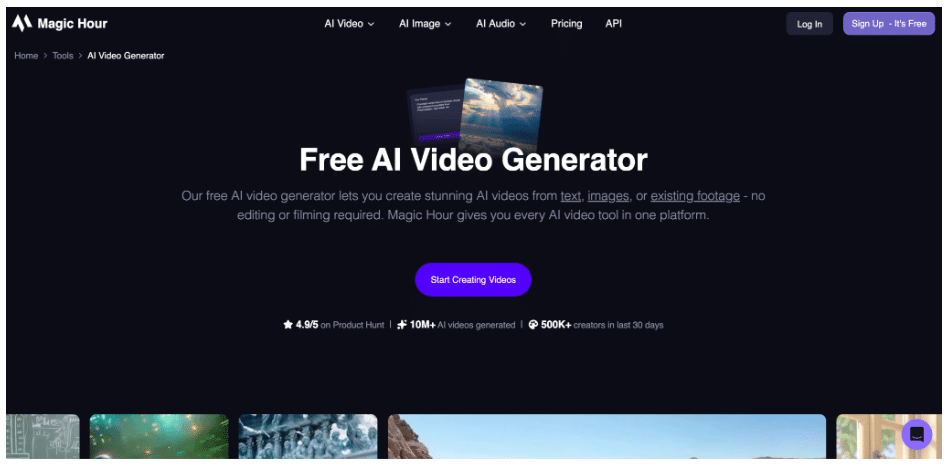
Magic Hour serves as a comprehensive “all-in-one” AI video creation hub, aggregating multiple top-tier generative models into a single, streamlined interface. It is designed to lower the barrier for creators who want to produce high-quality short-form content without jumping between different platforms. Magic Hour excels at bridging the gap between raw AI generation and usable social media content, offering a template-driven approach that fits perfectly into modern PR and marketing workflows. From animating still portraits for personalized messages to transforming text into cinematic b-roll, it provides a versatile sandbox for rapid visual experimentation. To back up these frontend generation applications, development teams increasingly look for backend stability by deploying custom AI infrastructure tools to seamlessly handle large-scale media scaling and auto-processing pipelines behind the scenes.
Key Capabilities
- Multi-Model Video Generation: Access and compare different AI video models (Text-to-Video and Image-to-Video) in one workspace.
- AI Talking Photos: Animate still images with realistic facial expressions and lip-syncing for explainers or avatars.
- Video-to-Video Style Transfer: Re-style existing footage into various artistic aesthetics like anime, cyberpunk, or 3D render.
- Face Swap Tools: Use face swap features to change faces in video clips for high-engagement social content.
- Extensive Template Library: Pre-built layouts for TikTok, Reels, and ads to speed up the transition from idea to export.
Pricing
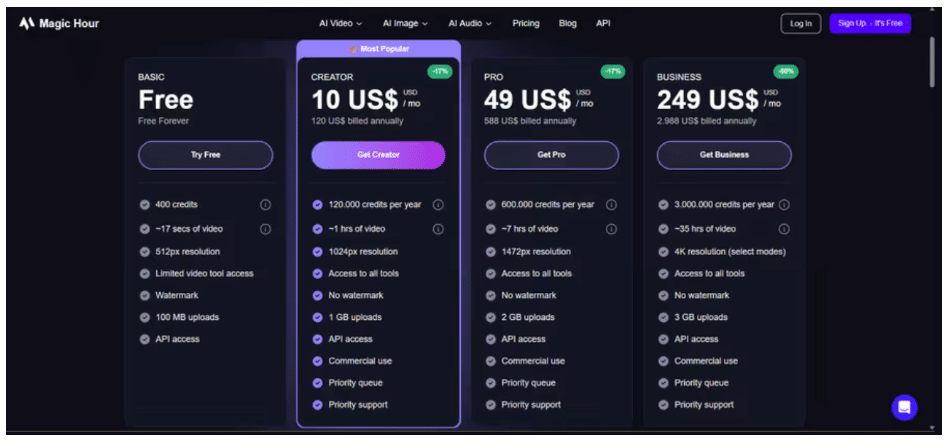
Magic Hour offers flexible tiers based on credit usage:
- Free: $0 (Limited credits and watermarked exports).
- Starter: $10 per month.
- Pro: $49 per month.
- Business: $249 per month.
- Enterprise: Custom pricing for high-volume API access and teams.
6. Async – AI Video Editor for fast and intelligent video production
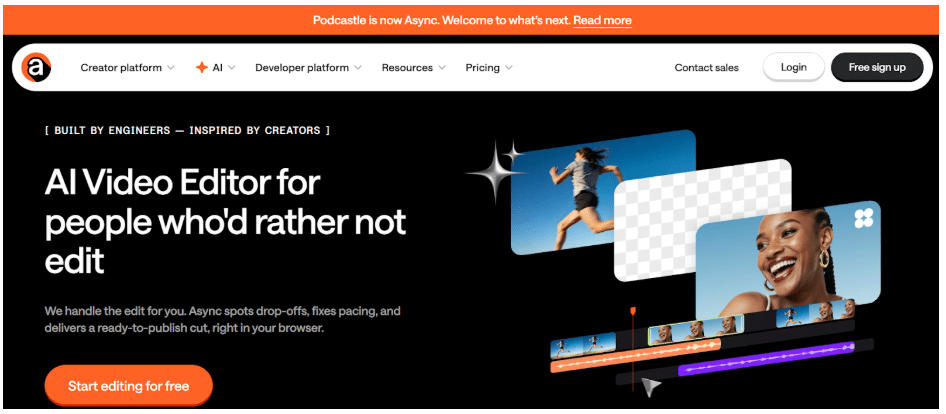
Async is an AI-powered video and audio creation platform designed to simplify the editing process for creators, marketers, and content teams. Its AI video editor combines automation with intuitive controls, allowing users to transform raw recordings into polished videos without complex editing workflows.
With Async, users can edit videos, enhance audio, generate subtitles, and repurpose long-form content into shorter clips within the same platform. The editor is especially useful for podcast creators, educators, and marketing teams who need to quickly produce professional videos for platforms like YouTube, LinkedIn, and social media.
Beyond editing, Async also includes AI-powered tools such as automatic transcription, subtitle generation, voice cloning, and its popular AI Clips feature for turning long-form content into short, shareable videos. This makes it a complete production environment for modern content workflows.
Key Capabilities
- AI-powered video editor for trimming, cutting, and enhancing videos quickly
- Built-in recording studio for podcasts, interviews, and video content
- Automatic transcription and subtitle generation
- AI Clips for turning long-form videos into short-form social media content
- AI voice generation and voice cloning for voiceovers
Pricing
Async offers flexible pricing options depending on your needs.
7. VeeSpark
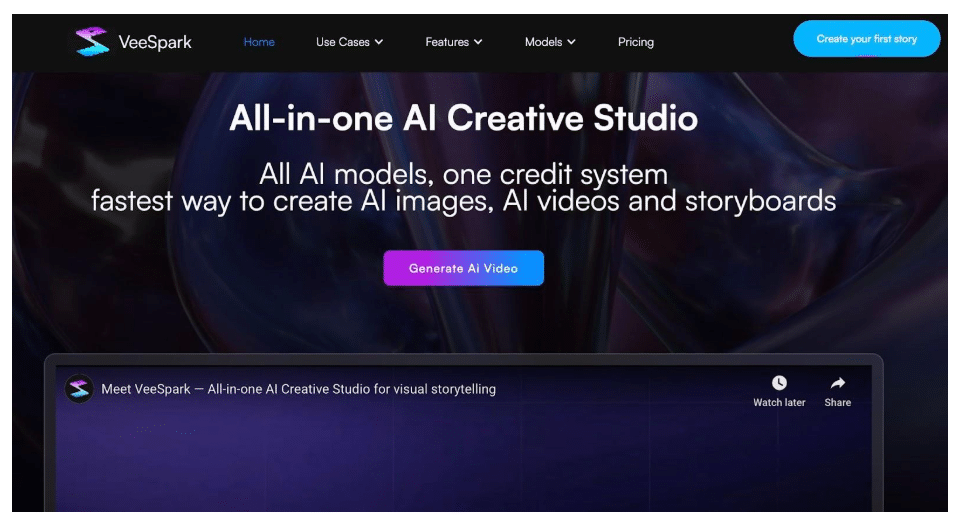
Image via VeeSpark
Film producers and content creators can use VeeSpark to turn scripts or prompts into standalone short videos. You can set up complete scenes, including pacing and visuals, then review them before uploads.
The platform supports quick edits, format changes, and visual adjustments, and you don’t need any great technical skills.
This makes it useful for newbies who need a tool that creates concept videos, marketing cuts, and early story testing. VeeSpark also offers tools for subtitles, voiceovers, and content repurposing.
Key Capabilities
- Smart script generation and expansion
- Dynamic storyboard generation with character consistencies
- Timeline navigation and editing for precise control
- Idea fission for refining movie concepts
Pricing
You get three pricing options:
- Free: $0
- One-time Purchase Plan: $15.2 per pack
- Enterprise: Custom pricing
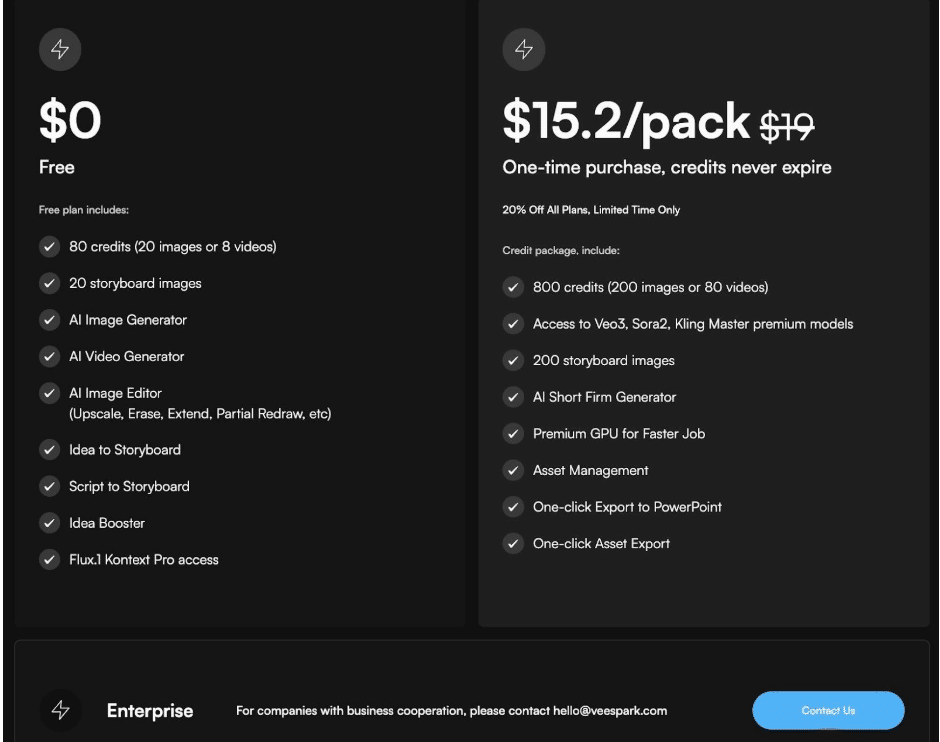
Image via VeeSpark
8. Capsule
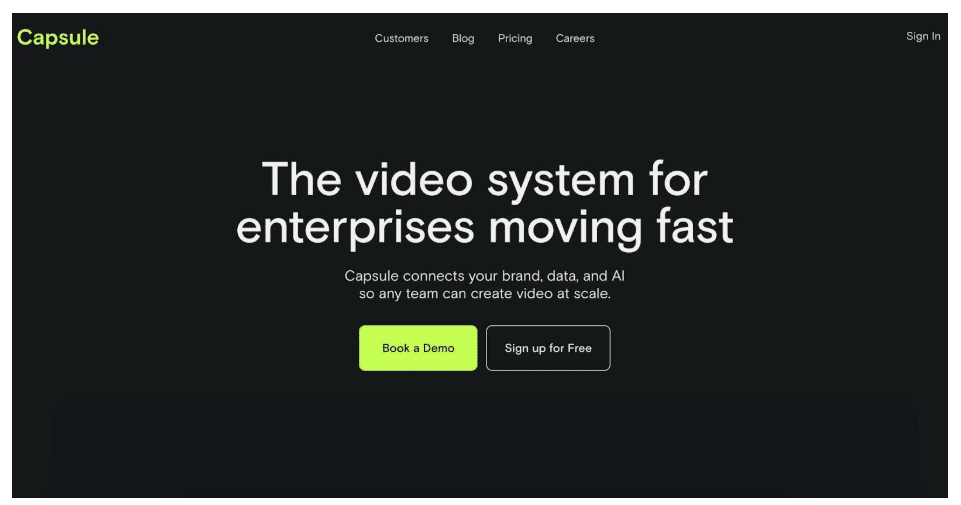
Image via Capsule
Capsule is collaborative AI video creation software with an advanced editing layer built for modern production teams. It can transform raw footage into structured edits using automatic selects, smart timelines, and text-driven revisions.
The editing commands and prompts are simple and can be used by anyone with basic video editing experience. Capsule is an ideal option for film producers who handle big video projects with long review cycles.
This tool also offers professional-level storyboarding you can use to plan and create impactful videos. It also supports shared workspaces, which speeds up work since different editors can work on the same video simultaneously.
Key Capabilities
- Real-time collaboration that supports multiple editors working on the same file
- Integration with After Effects for seamless file transfers
- Voice-over addition with VoiceMagic
- Soundtrack generation
- Auto frame editing
Pricing
Capsule comes with two pricing options.
- Business Free: $0
- Enterprise: Custom
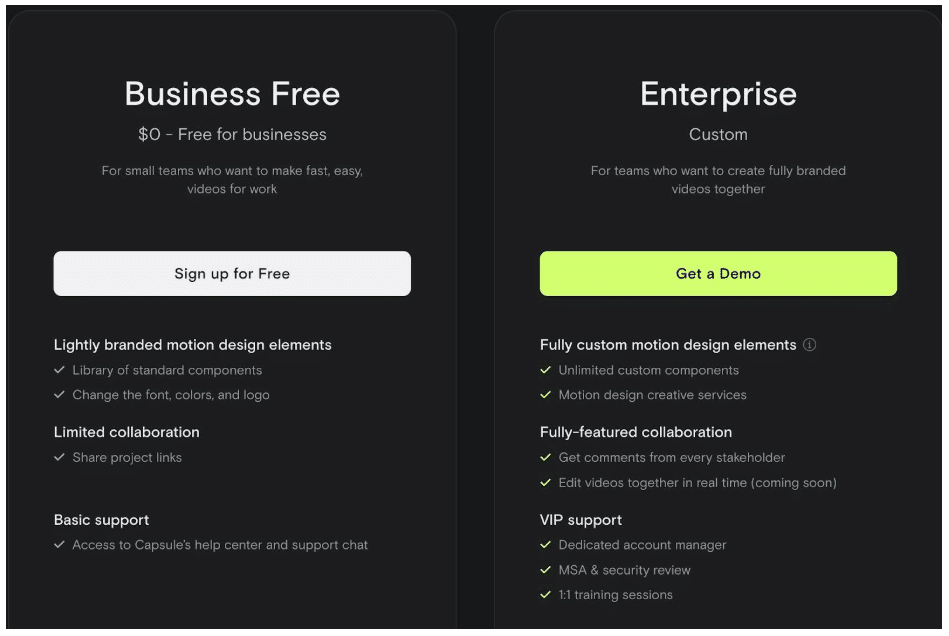
Image via Capsule
9. Synthesia
Synthesia frames AI video creation software around speed and consistency for screen-ready output. It combines realistic digital presenters with synced voice and clean visuals without any need for cameras or crews.
Additionally, the platform supports multiple languages, controlled pacing, and quick scene edits for repeatable results. This works well for explainers, internal films, and branded content that needs scale.
Key Capabilities
- Generates expressive avatars with support for over 140 languages
- Converts documents, links, images, and more into videos
- Supports real-time collaboration in terms of generation and editing
- High-quality screen recordings
- Creation of instant voice-overs with natural-sounding AI technology
Pricing
Synthesia offers four price plans.
- Basic: Free
- Starter: $29 per month
- Creator: $89 per month
- Enterprise: Custom pricing
10. Tagshop AI
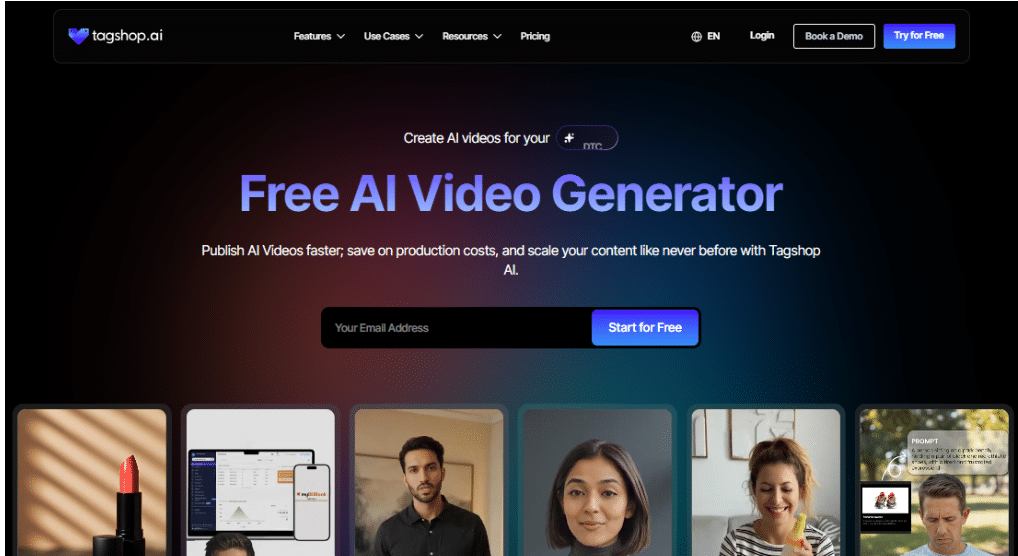
Tagshop AI is an AI-powered video creation platform focused primarily on helping brands, marketers, and e-commerce teams generate high-quality video content using artificial intelligence, especially AI video ads and UGC videos, at scale without traditional filming or editing.
Built specifically for performance marketing, Tagshop AI automatically structures videos to match what works best on platforms like Instagram, TikTok, Facebook, and Google Ads. From engaging hooks and clear messaging to platform-optimized formats, every video is created to capture attention and drive action. By making it easy to generate multiple ad variations at scale, Tagshop AI helps businesses test creatives faster, reduce production costs, and continuously optimize campaigns for better results.
Key Capabilities
- AI Video & Ad Generation
- Built-in Video Editor
- AI Avatars & Digital Twins
- Script & Creative Tools
- AI UGC Video Ads
- Text to Video
- Script to Video
Pricing
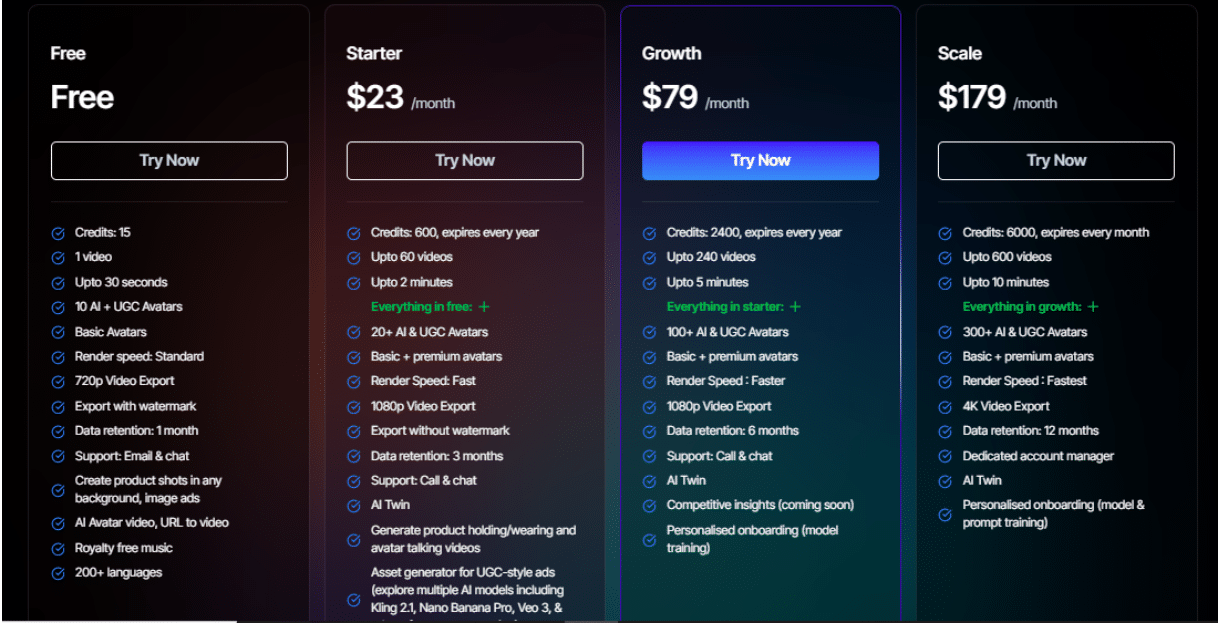
LTX Studio comes with four pricing options:
- Basic – Free
- Starter – $23/month
- Growth – $79/month
- Scale – $179/month
11. Kittl
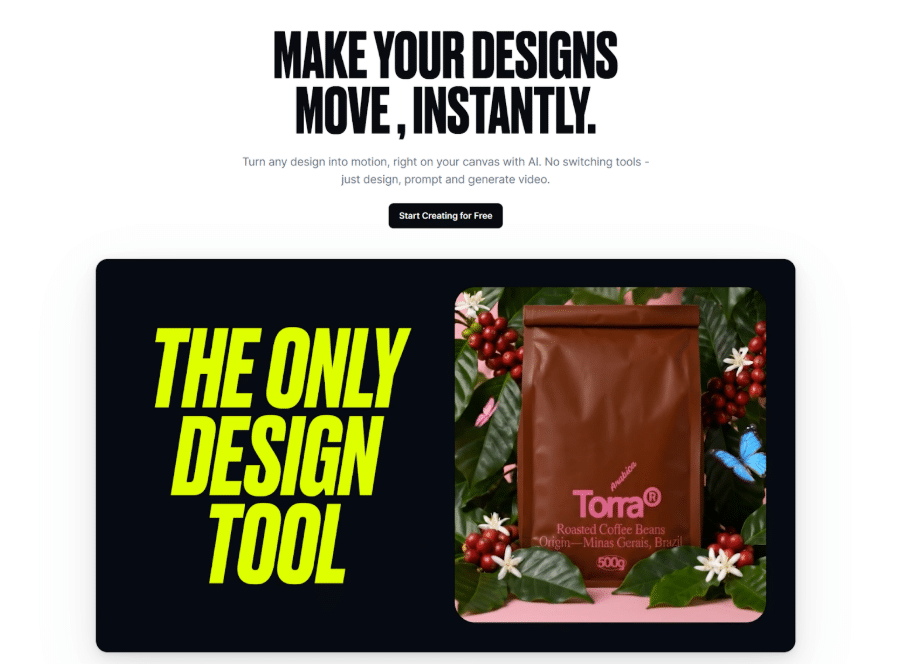
Graphic designers and marketers can use Kittl AI Video to transform static graphics, images, or prompts into engaging animated videos. Users can start with AI-generated visuals or existing designs, apply motion styles, and export ready-to-share videos for social media, marketing campaigns, or product promotions.
The platform focuses on simplicity, allowing users to create motion content without complex timelines or advanced editing knowledge. It supports quick visual edits, animated typography, and motion effects, making it ideal for teams that need fast, professional-looking video content.
This makes Kittl AI Video useful for creators who want to produce promotional clips, social media animations, product visuals, and branded marketing content without traditional video editing software.
Key Capabilities
- AI-powered animation for graphics and images
- Text and design-to-video generation
- Animated typography and motion effects
- Quick export for social media formats
- Integrated design and video workflow
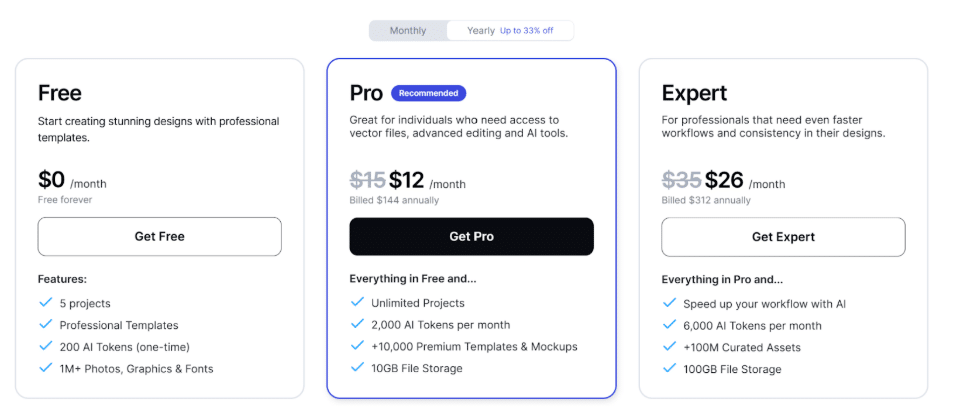
Pricing
You get three pricing options which are billed annualy
- Free: $0
- Pro Plan: Around $12/month
- Expert Plan: Around $26/month
12. Steve AI
13. Prezi
Prezi transforms the traditional, linear slide deck into a dynamic, AI-powered visual experience designed to capture and hold audience attention. Rather than shifting through static slides, the platform creates cinematic, zooming narratives that help presenters connect more deeply with their viewers. For video professionals and marketing teams, Prezi Video allows users to appear alongside their content in real-time, making it an ideal solution for remote pitches, training sessions, and interactive presentations.
The platform’s integrated AI engine streamlines the transition from a simple prompt or existing document to a polished, professional presentation in seconds. By focusing on engagement across the full presenting lifecycle, Prezi provides unique features like live interactive Q&A and detailed viewer analytics that show exactly where audience interest peaks. This makes it a powerful choice for “knowledge multipliers”—professionals whose job is to make an idea land with a room and stay with the audience long after the session ends.
Key Capabilities
- AI-powered generation of dynamic presentations and video content from prompts or files
- Live interactive engagement features including real-time audience Q&A and reactions
- Advanced viewer analytics to track attention and engagement slide-by-slide
- Professional narrated video creation for high-impact asynchronous communication
- Presenter View for seamless control and confidence during live or remote deliveries
Pricing
- Standard – $7/month (Core AI features and essential presentation tools)
- Plus – $19/month (Unlimited AI generation and advanced export options)
- Premium – $29/month (Full analytics, priority support, and premium assets)Teams – Starting at $35/month (Dedicated design support, brand kits, and enterprise-grade security)
Generate Viral Videos From Scratch
AI video creation software is now part of video production for both professionals and enthusiasts. Teams now generate scripts, convert text into video, and create usable footage without full crews.
Some notable solutions include LX Studio, Krea, VeeSpark, and more. Whether you want to create videos for your brand or a personal project, these five AI video creation software will help you get started.